Your podcasts, archived for good.
PodVault downloads podcast episodes from RSS feeds or Apple Podcasts links, organizes them into a clean folder tree, writes complete tags and cover art, and keeps them safe for the long run. Manage everything from a web dashboard, and listen to your archive from any podcast app through PodVault’s own feeds, including episodes the publisher has deleted.
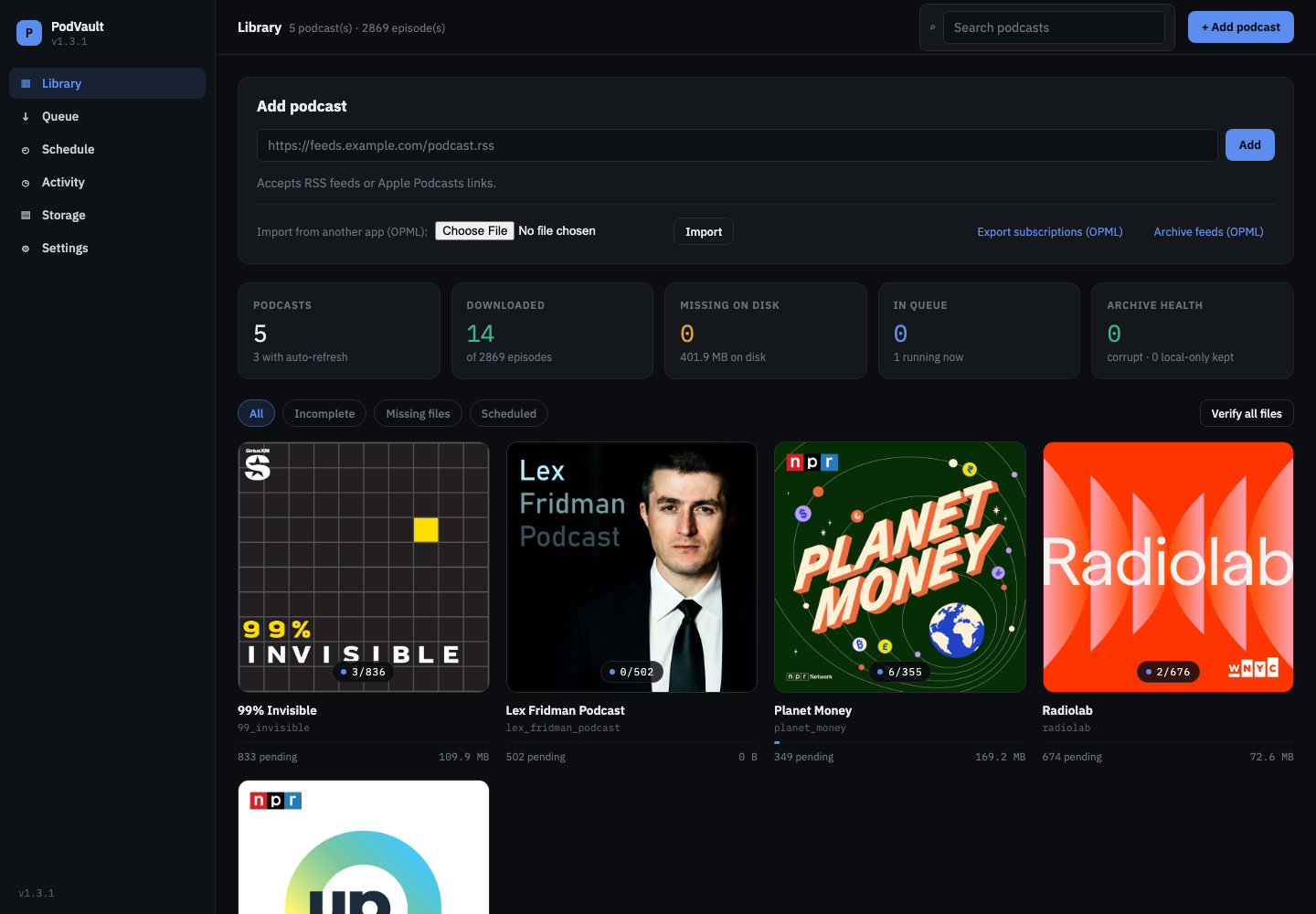
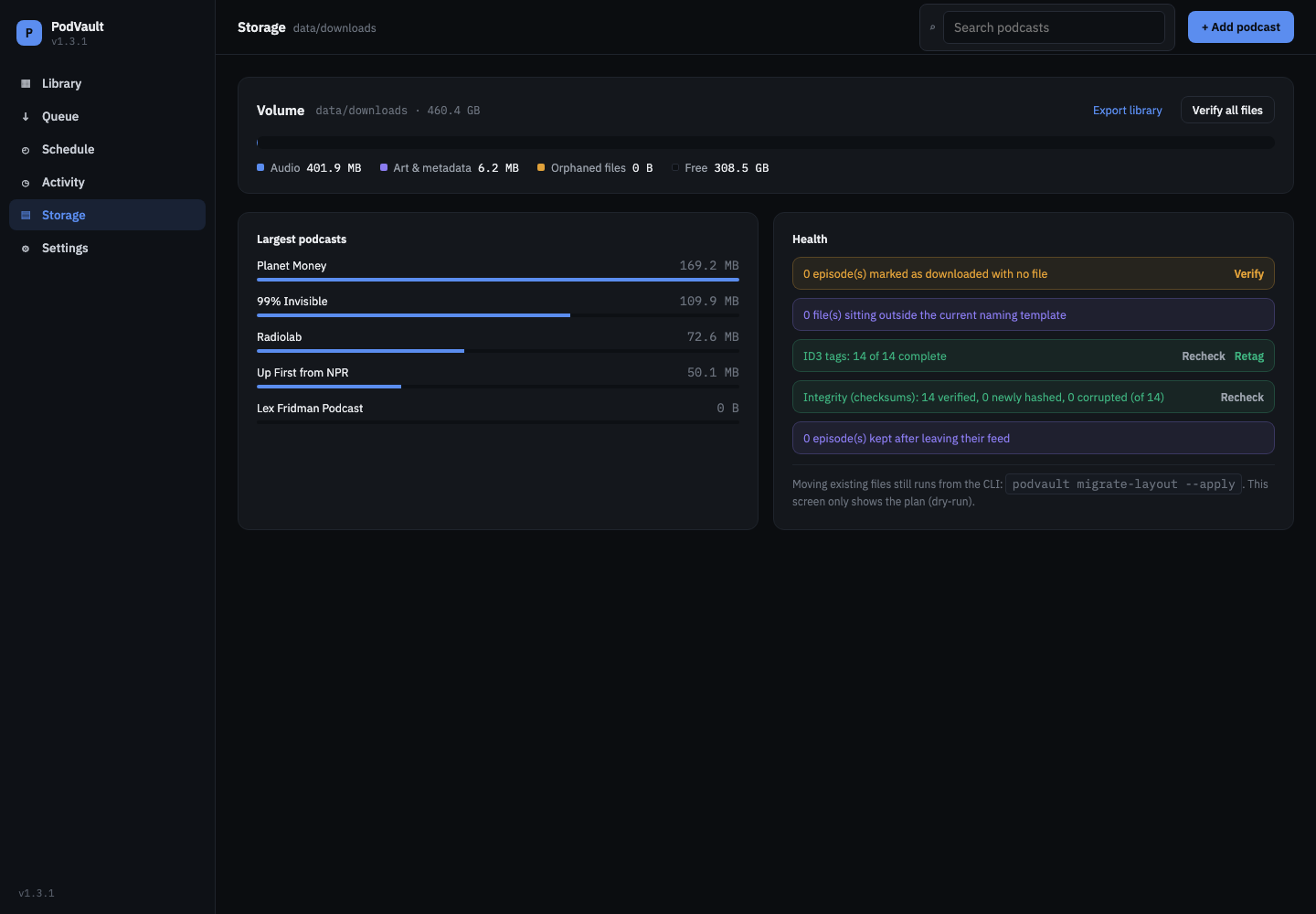
Your whole archive at a glance.
- Add by RSS, Apple Podcasts or OPML
- Stats and archive health
- Cover grid with filters
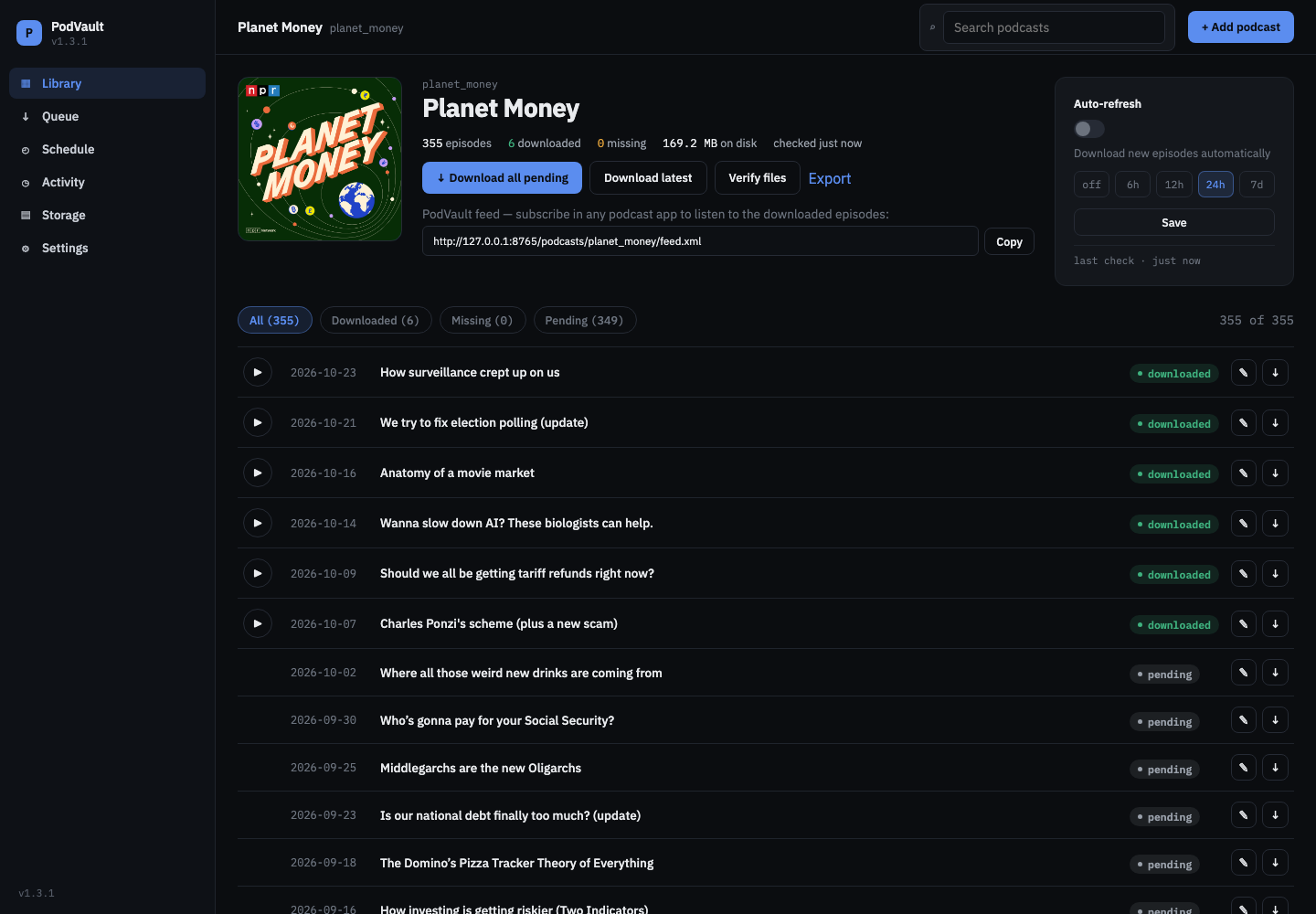
Every episode, its status, and its own feed URL.
- Download all, the latest, or one
- Copy the PodVault feed URL
- Auto-refresh every 6h to 7d
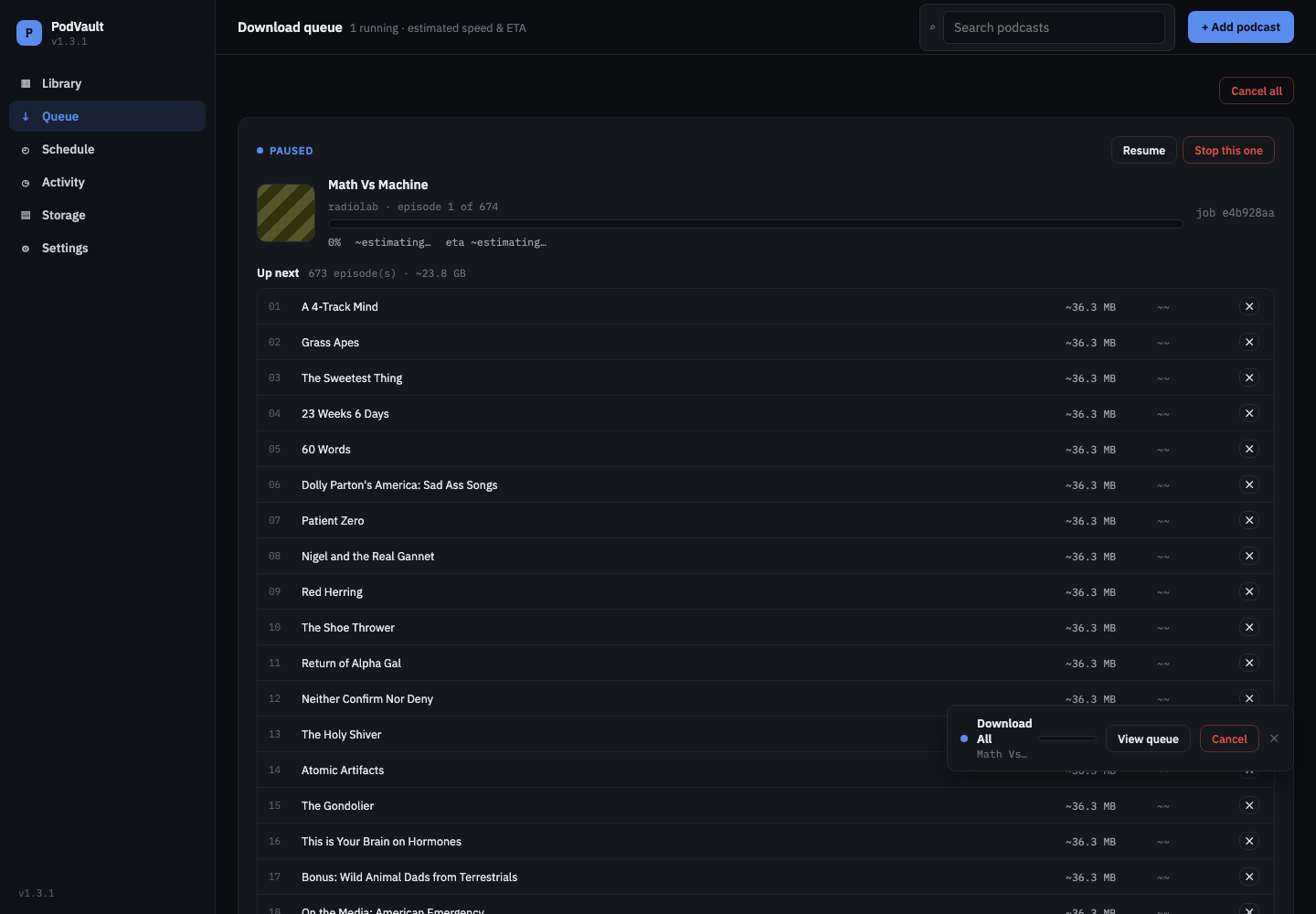
Pause, resume, cancel, or skip.
- Estimated speed and time left
- Never half a file
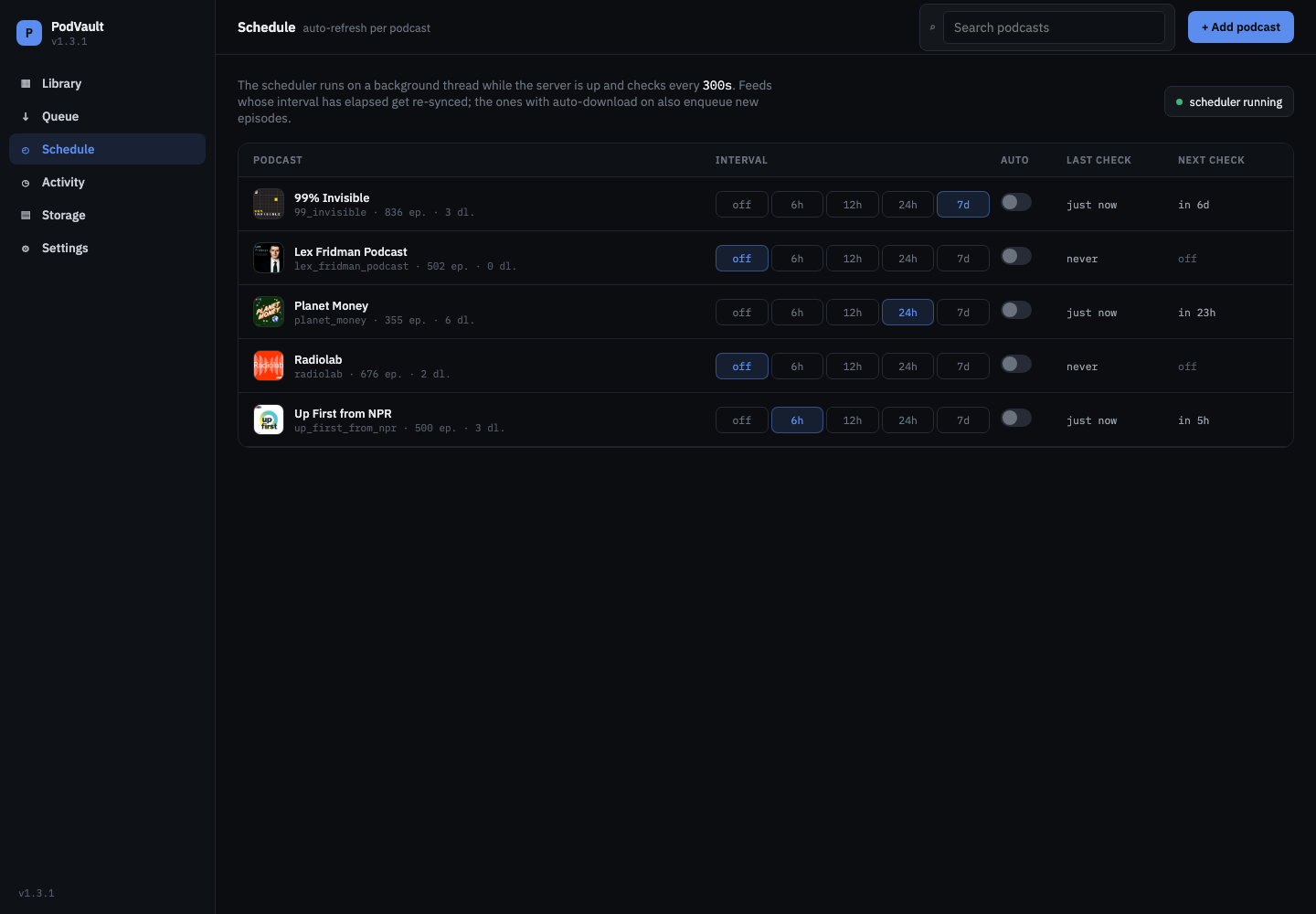
Check feeds on a schedule and grab new episodes automatically.
- Interval per podcast
- Auto-download toggle
Archive health checks with one-click fixes.
- Missing and corrupt files
- Re-download in one go
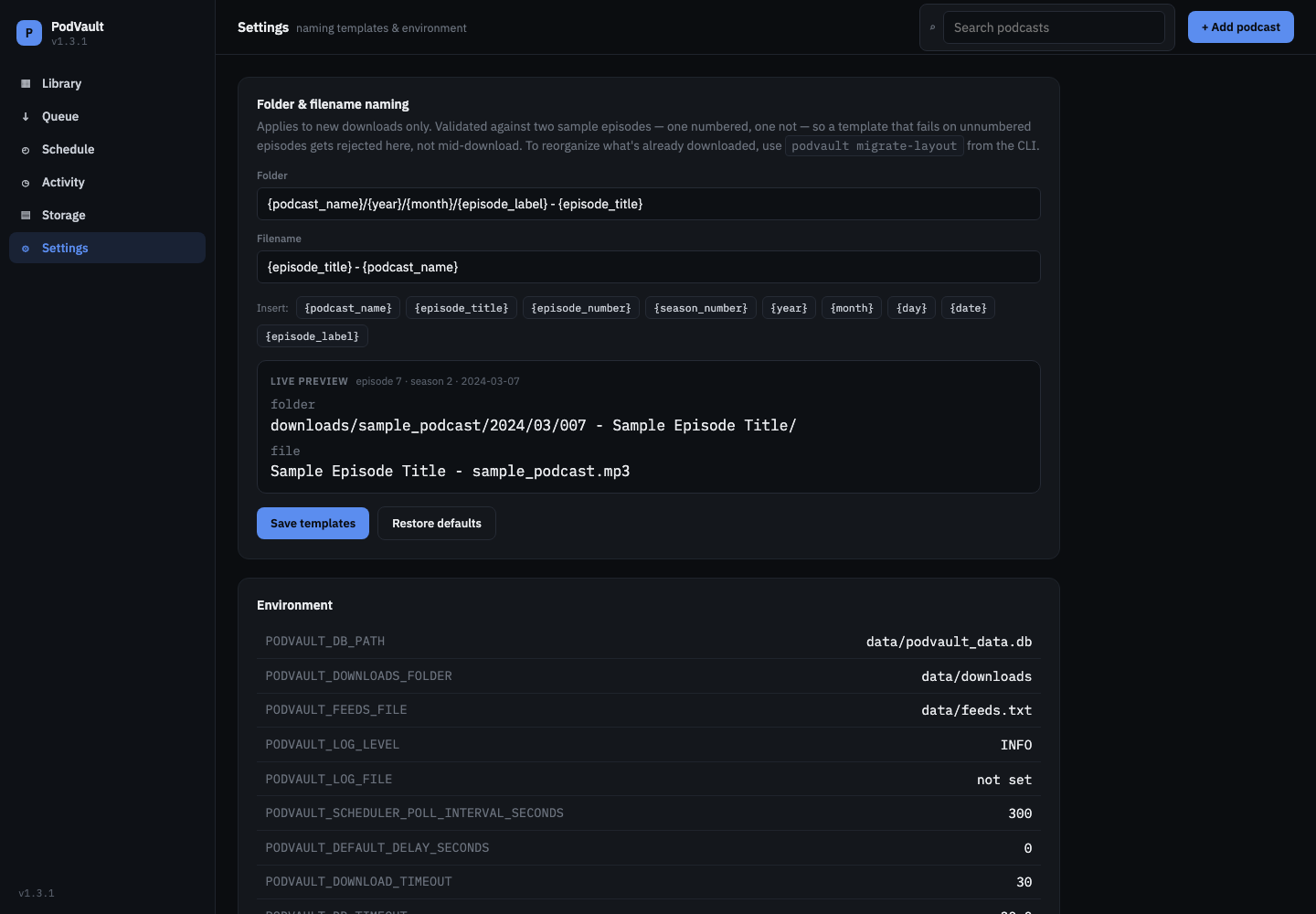
Name folders and files your way, with a live preview.
- Clickable variables
- Checked before saving
Why PodVault
Podcast apps stream. They don't archive.
Publishers delete back catalogs, re-edit episodes, move old ones behind paywalls, or shut down. Your podcast app only has what the feed has today.
PodVault keeps a verified, well-organized, tagged copy that you own, on your own disk. It's built for self-hosters, homelab and NAS owners, Plex, Jellyfin and Audiobookshelf setups, and anyone who wants a permanent copy of the shows they care about.
Features
Built to keep podcasts for the long run
Archive-first, not a player
Episodes are never deleted when they leave the feed. They’re just marked local-only. SHA-256 checks catch silent file corruption, and the database backs itself up on a rotating schedule.
Your own podcast feeds
Every archived podcast gets an RSS feed served from your copies. Listen in Apple Podcasts, Overcast, Pocket Casts or AntennaPod, even to episodes the publisher deleted.
Clean files on disk
Template-driven folder and file names. Full ID3 and MP4 tags with embedded cover art, and the original RSS entry saved next to every episode. Your files stay usable without PodVault.
One container
No Redis, no Postgres, no separate worker. One Docker container with one /app/data volume, for amd64 and arm64: servers, Raspberry Pi, Apple Silicon and most NAS devices.
A web UI and a full CLI
A dark, dense, keyboard-accessible dashboard. Use it day to day, and script everything with the complete command line.
Free and open source (MIT)
Use it, fork it and build on it. Just keep the credit.
Try it · Settings
Name folders and files your way.
Click a variable to insert it where your cursor is. Like the app, the preview checks your template against a numbered and an unnumbered episode.
docker run -d --name podvault \
  -p 8000:8000 \
  -v ./data:/app/data \
  -e PODVAULT_USERNAME=admin \
  -e PODVAULT_PASSWORD=change-me \
  --restart unless-stopped \
  martitoci/podvault:latest
services:
podvault:
image: martitoci/podvault:latest
ports:
- "8000:8000"
volumes:
- ./data:/app/data
restart: unless-stopped
environment:
PODVAULT_USERNAME: admin
PODVAULT_PASSWORD: change-meBuilt for your home network. PodVault hasn't had a security audit, so don't expose it to the internet. The login keeps others on your network out; for access from outside, use a VPN like WireGuard or Tailscale. Why
What's new in 1.3
A real sign-in page
A styled sign-in page replaces the browser’s Basic-auth popup, with Sign out, “Keep me signed in for 30 days”, sliding sessions and a login lockout.
Current version: 1.3.1